Expiry Tracker
Expiry dates turned into a clear status for every product.
Expiry
Tracker
Each perishable product has one expiry date at the front and another in storage. Instead of displaying dates alone, the system compares them and assigns each product a clear status.
Used in working restaurants
The inputs for each product
Front expiry date, storage expiry date, boxes in storage and later dates waiting behind.
calculateProductStatus()server/services/productStateService.js- Is there an expiry date in storage?
- Does it match the front date?
- Is it the last box? Are more waiting behind?
Front, then switch
Front and storage expiry dates differ.
Front, then depleted
No expiry date in storage.
Unclassified
Same date, more than one box.
Open, then switch
Same date, last box, later dates behind.
Open, then depleted
Same date, last box, nothing behind.
Alert window
Within the window,
raise an alert.
From today through the next 14 days, inclusive. Everything else can wait.
Historical demo data as of 20 Oct 2026.
Design decisions
Problem
Perishable products are split between the front and storage. If nobody checks the dates in time, they expire.
Constraints
Several restaurants share the infrastructure, people have different responsibilities, and the connection is not always reliable.
Decision
Calculate each product’s status from its dates and stock, and flag dates from today through the next 14 days, inclusive.
Workspaces and roles
One platform.
Separate workspaces.
Each restaurant only sees and receives its own data.
Three roles with progressively narrower permissions. No workspace can see another’s data.
When the network drops
The connection drops.
Work carries on.
Available in the expiry module only.
Online
Every change reaches the server immediately.
Offline
The app keeps working. Each change is stored in a local queue (IndexedDB) until the connection returns.
Back online
The queue is sent to the server, which shares the changes with the rest of the restaurant.
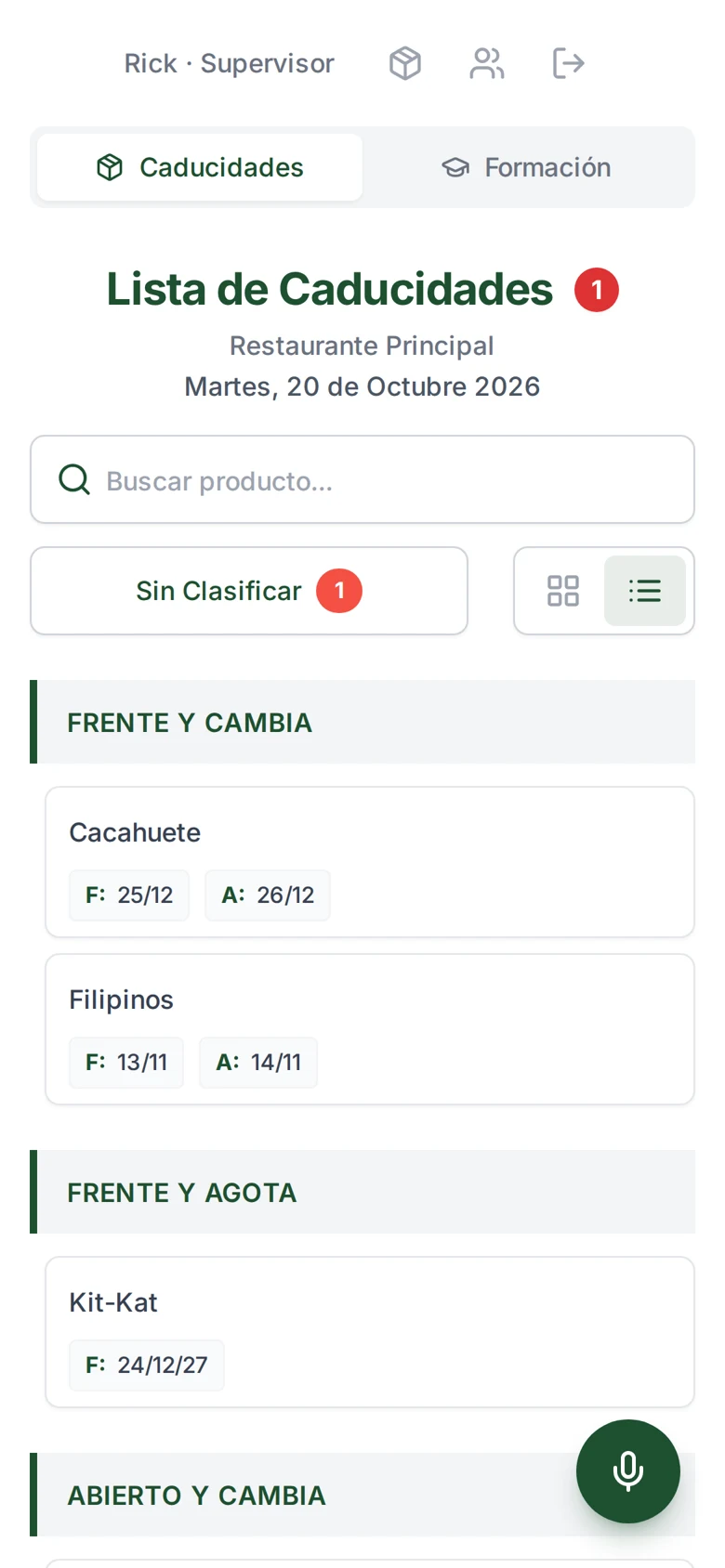
Actual screenshot, 20 Oct 2026
What the restaurant sees.
Each group in the list matches one of the statuses leaving the prism:
- Front, then switch
- Front, then depleted
- Open, then switch
The “1” beside the heading is Danonino: the only product within the alert window.
- Technologies
- React, Node.js, MongoDB and Socket.IO
- My role
- Product design and specification. Implemented with Claude Code.
Private use in restaurants; no public access.